 Warpzone
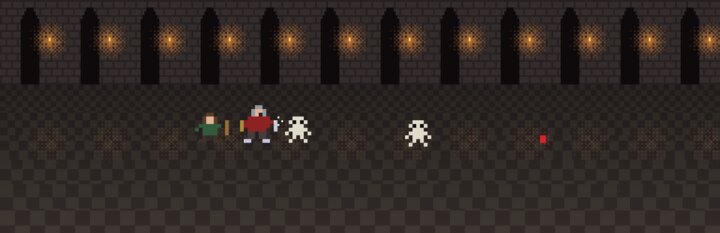
Diablo Splitscreen
Diablo for up to four players on one screen, each with their own controller and inventory.
A DevilutionX fork targeting one to four controllers on a shared screen: independent inventories, spells and merchants that never pause anyone else. Linux, Windows and the Steam Deck.
You need: your own Diablo data file (DIABDAT.MPQ)
What's new
From the project's release notes. Games and the launcher show these after every update.
Diablo Splitscreen v0.1.7 (test build) preview
2026-10-20 · on GitHub
Test build — automatic updates on Linux and Steam Deck. From this version on, a game installed with the installer updates itself: while you play it checks GitHub (at most every six hours) for a newer Diablo Splitscreen release, downloads it in the background and checks it against that release's SHA256SUMS. Nothing changes during that game; the next start switches to the new version, but only after its binary has started once on your system. If a new version crashes within its first minute, the game goes back to the version you had and starts that instead, and never offers the broken one again. Offline, it simply starts. Saves, settings and game data are never touched; the menu entry and Steam shortcut keep working. Turn it off by creating ~/.local/share/diablo-splitscreen/no-auto-update.
To get it, install this version once with its installer (v0.1.6 and older cannot update themselves): download Install-Diablo-Splitscreen.desktop and double-click it (on the Deck in desktop mode), or run bash install.sh. An unpacked .tar.gz or a Warpzone install never updates itself. Windows has no automatic update yet.
The game itself is unchanged from v0.1.6: up to four controllers on one shared screen, Start on a free controller joins with a saved or new hero, Back opens a guest's own inventory while everyone keeps playing, guest heroes are saved, unplugged guests wait for any free controller. Full details and limits: docs/LOCAL-COOP.md.
Known limits: as in any multiplayer game only heroes are saved, not the dungeon or quest progress; guests have no character sheet, spellbook or shop yet and follow pad 1 between levels; no changelog is shown after an update yet. Updates were tested in a scripted test with fake releases and against this release's real build only — please report anything odd from the Deck.
You need your own DIABDAT.MPQ (or spawn.mpq for shareware); no game data is included. The Linux build needs glibc 2.38 or newer (current SteamOS, Ubuntu 24.04). Without the installer: unpack the .tar.gz and run diablo-splitscreen/diablo-splitscreen.sh. Windows: unpack the zip and run diablo-splitscreen\devilutionx.exe. This build sends an anonymous report (version, platform, "fatal error"/crash signal, the failed installer step or a failed update check/rollback — nothing else) if something fails; set DEVILUTIONX_NO_REPORT=1 to turn that off. Not an official DevilutionX release; based on DevilutionX under its Sustainable Use License.
Diablo Splitscreen v0.1.6 (test build) preview
2026-10-17 · on GitHub
Test build — Linux and Steam Deck installer. Download Install-Diablo-Splitscreen.desktop and double-click it (on the Deck in desktop mode), or run bash install.sh. It downloads this release's Linux build, checks it against SHA256SUMS, installs it to ~/.local/share/diablo-splitscreen (the previous version is kept for going back), adds a menu entry, offers to copy your own DIABDAT.MPQ to where the game looks for it, and adds a Steam shortcut for Game Mode when Steam is closed (a backup of Steam's shortcut file is kept). Saves, settings and game data are never touched. Running a newer release's installer updates; the shortcut keeps working.
The game itself is unchanged from v0.1.5: up to four controllers on one shared screen, Start on a free controller joins with a saved or new hero, Back opens a guest's own inventory while everyone keeps playing, guest heroes are saved, unplugged guests wait for any free controller. Full details and limits: docs/LOCAL-COOP.md.
Known limits: as in any multiplayer game only heroes are saved, not the dungeon or quest progress; guests have no character sheet, spellbook or shop yet and follow pad 1 between levels. No automatic update check yet: run the new installer. Tested with virtual controllers and in a scripted installer test only — please try it on the Deck and with real pads and report what feels wrong.
You need your own DIABDAT.MPQ (or spawn.mpq for shareware); no game data is included. The Linux build needs glibc 2.38 or newer (current SteamOS, Ubuntu 24.04). Without the installer: unpack the .tar.gz and run diablo-splitscreen/diablo-splitscreen.sh. Windows: unpack the zip and run diablo-splitscreen\devilutionx.exe. This build sends an anonymous report (version, platform, "fatal error"/crash signal or the failed installer step — nothing else) if something fails; set DEVILUTIONX_NO_REPORT=1 to turn that off. Not an official DevilutionX release; based on DevilutionX under its Sustainable Use License.
Diablo Splitscreen v0.1.5 (test build) preview
2026-10-17 · on GitHub
Test build — saved guest heroes. Second, third and fourth players now keep their progress: a guest's level, experience, stats, gold and items are saved to its own hero whenever pad 1's hero is saved (changing level, every minute, quitting) and when the guest leaves. A new guest hero ("Player 2" and so on) gets a save slot of its own right away, so next time it is in the join panel like any other saved hero. A guest never writes pad 1's save or a slot that already holds a file.
Still from v0.1.4: unplugging a guest's controller leaves the hero standing; **Start on any free controller** plays on with it.
Still from v0.1.3: the camera centres on the middle of all heroes, and every player (pad 1 too) can walk as far as the screen allows.
Still from v0.1.2: press Start on a free controller to open the join panel (saved hero or new hero, A joins, B cancels); Start on a guest's controller asks to leave.
Still from v0.1.1: Back on a guest's controller opens that player's own inventory (A wear/use, Y belt, X drop, B close) while everyone else keeps playing. Start Multi Player → Offline, create a game, press any button on pad 1, then Start on another controller. Guest controls: stick/D-pad walk, A attack or pick up, X cast, Y next spell, B drink a potion. Full details and limits: docs/LOCAL-COOP.md.
Known limits of this build: as in any multiplayer game only heroes are saved, not the dungeon or quest progress; guests have no character sheet, spellbook or shop yet, cannot split gold or use cursor scrolls/oils, follow pad 1 between levels. Tested with virtual controllers only — please try it with real pads (and on the Deck) and report what feels wrong.
You need your own DIABDAT.MPQ (or spawn.mpq for shareware); no game data is included. Linux and Steam Deck: unpack the .tar.gz and run diablo-splitscreen/diablo-splitscreen.sh (it starts the bundled AppImage; needs glibc 2.38 or newer, e.g. current SteamOS or Ubuntu 24.04). Windows: unpack the zip and run diablo-splitscreen\devilutionx.exe. This build sends an anonymous report (version, platform, "fatal error"/crash signal — nothing else) if the game fails; set DEVILUTIONX_NO_REPORT=1 to turn that off. No automatic updates yet. Not an official DevilutionX release; based on DevilutionX under its Sustainable Use License.